Overview
This article illustrates the case scenarios where arrivals are utilised and how they can be handled on Fluent Store.
Key points
- Arrivals are relevant in case scenarios where a click and collect order is sourced from a different location to the customer’s final collection location.
- Articles arrivals are handled either manually or via scan.
- It’s possible to assign the Arrival articles to specific storage locations.
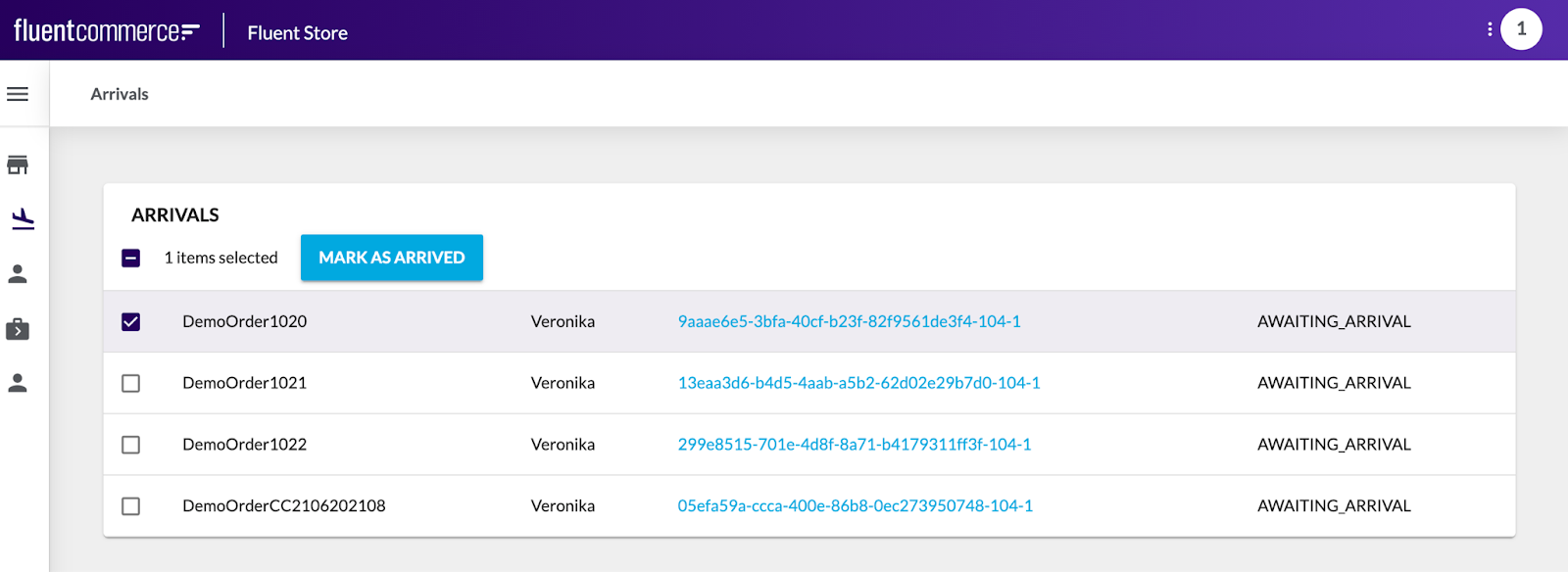
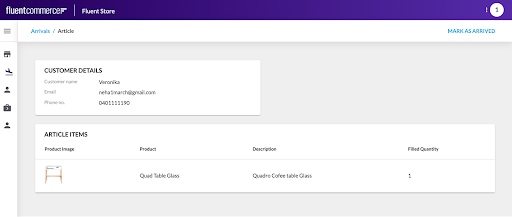
Additional feature of Arrivals:
Assign Articles to Storage Area
Overview
The Scan to Storage Area feature allows Store Associates to allocate articles to a storage area. The physical location of an article is then stored in Fluent. This feature simplifies identifying the location of an article and supports the consolidation of multiple articles belonging to the same order. The Scan to Storage Area Feature is an optional feature on Fluent Store and can be activated by clicking the MARK AS ARRIVED user action.- Use Cases
- Store Transfer:
When a Click and Collect order is sourced from a location different from the customer’s chosen pick up location, the order is assigned to the sourcing location for fulfillment. Once fulfilled at the sourcing location, the order is shipped to the customer’s chosen pick up location. When the order arrives at the pick up location, the order is received and placed in an allocated storage area. The storage area is allocated using the Fluent Store Storage Area feature. - Allocate two articles from the same order to the same storage location:
When a Click and Collect order has two or more items, fulfilled from two or more separate locations and shipped to the customer's chosen pick up location. When the first order arrives at the pick up location, it is received and placed in an allocated storage area. When the second order arrives at the pick up location, the Storage Area feature will automatically suggest the same storage location where the first order was placed. - Allocate storage area to same store click and collect articles:
When a Click and Collect order is sourced and collected from the same location, the Scan to Storage Area feature can be configured to allocate storage area to the articles. - Assigning a storage area to Home Delivery orders too, that can then be easily located to hand over to the carrier driver for delivery.
Customer Collections
The Customer Collections feature is ONLY applicable to the Click and collect orders and is used as an in store process to confirm the order collection by the customerThe below screen shows the orders awaiting collection by the customer.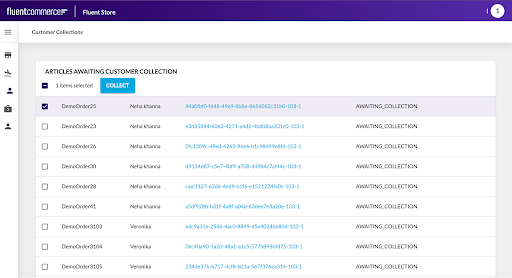
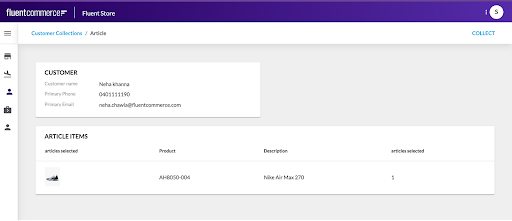 Store users can view all orders awaiting collection by the customer, by clicking on the Customer Collections screen in the Fluent Store module.When a Customer arrives in store to collect their order, the store user searches for the customer’s order and marks the order as collected.The following steps are practiced as a standard process to mark the order as collected:
- Click Customer Collections from the Fluent Store portal.
- Scan or manually enter the order reference into the input field to be automatically directed to the order article details page. If the barcode does not scan, scroll through the list to find the article.
- Select the article and then select COLLECT.
Further Reading