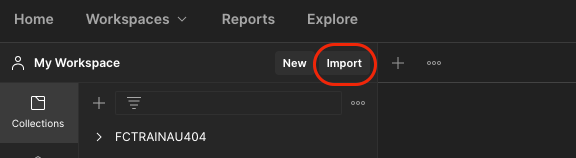
Step 1. Open Postman and click on the Import button on the top left of the Postman window.
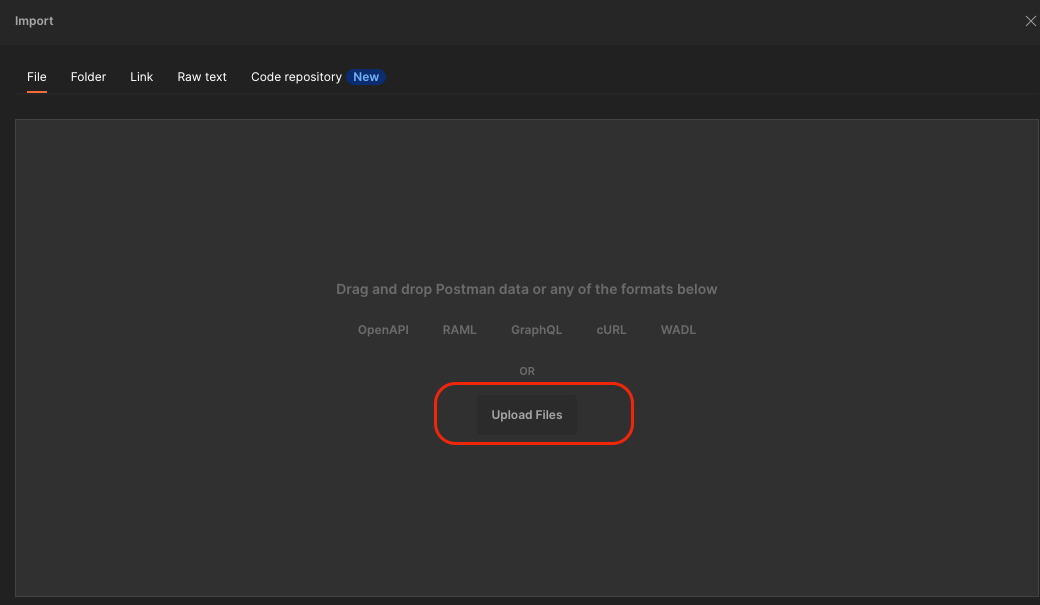
Step 2. Click on Upload Files in the dialog box.
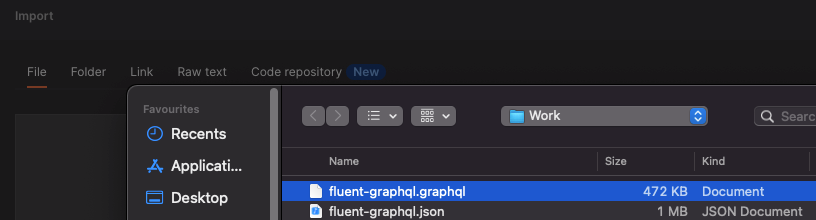
Step 3. Upload a GraphQL SDL File: fluent-graphql.graphql
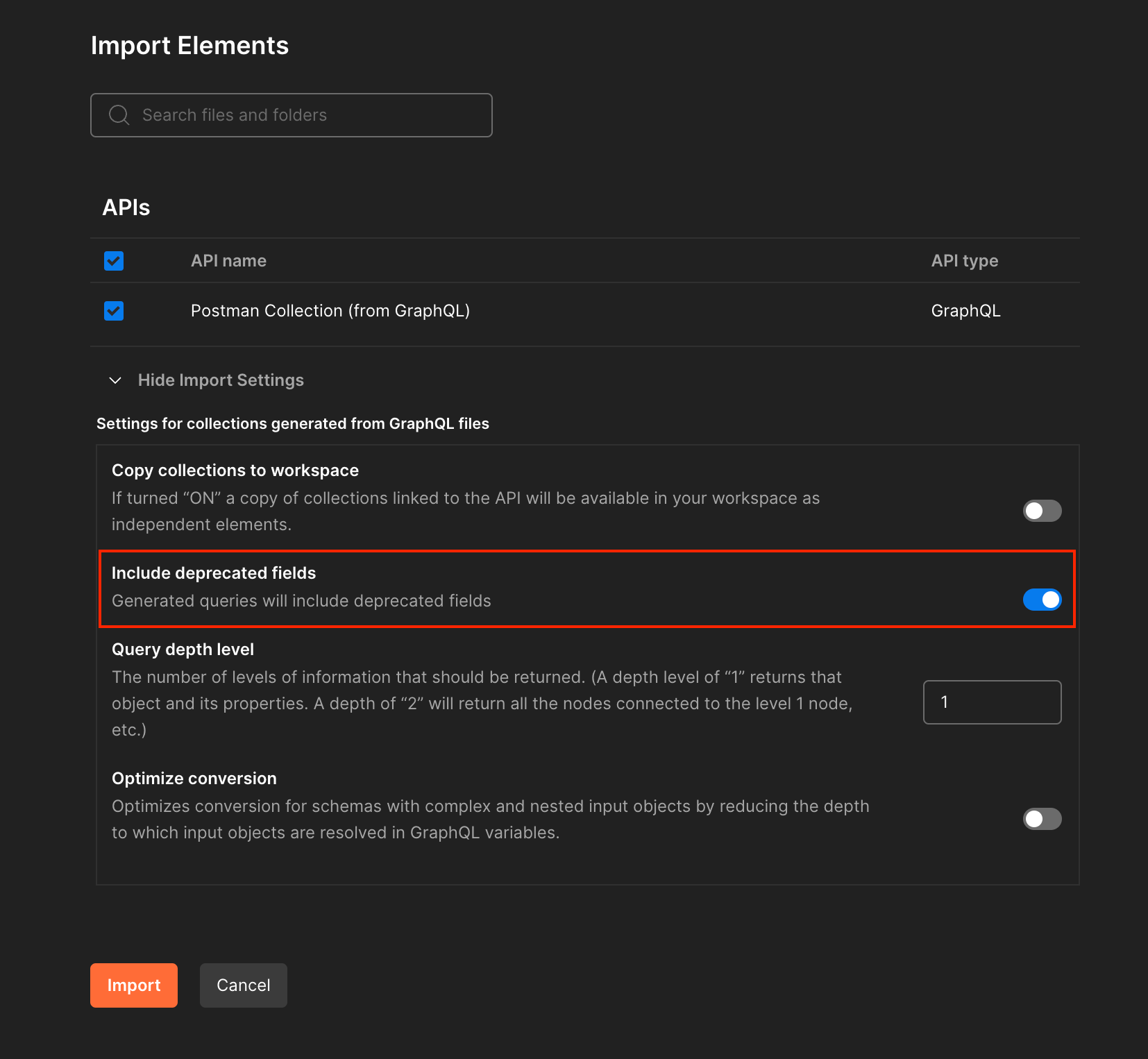
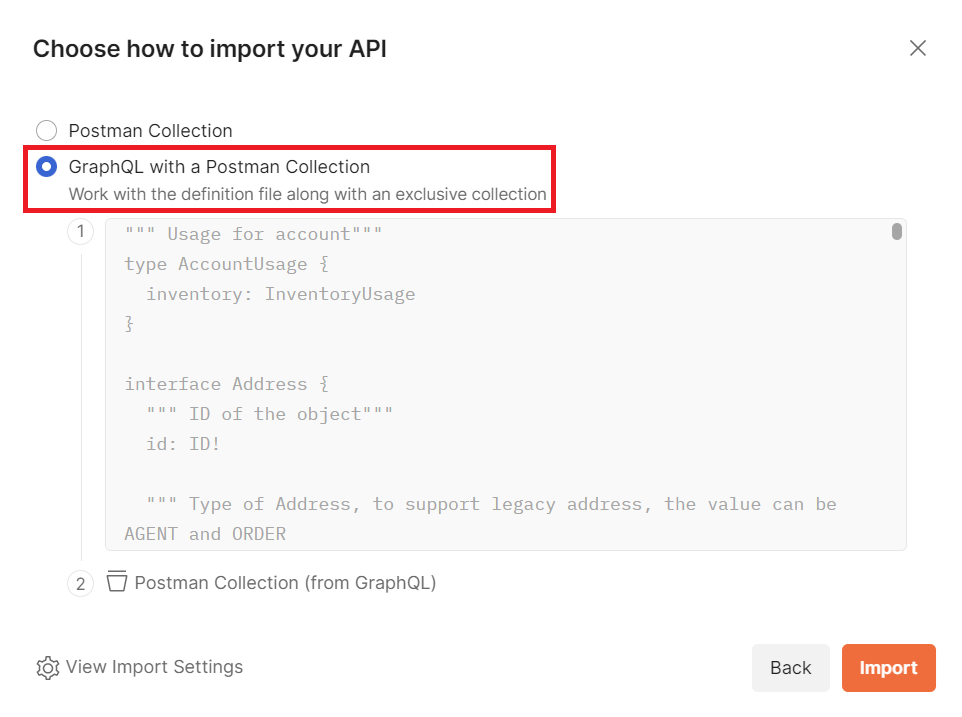
Step 4. Select both "API name" and "Postman Collection (from GraphQL)", or choose "GraphQL with a Postman Collection", depending on different Postman versions. Click on "Show Import Settings", and make sure to turn on "Include deprecated fields":
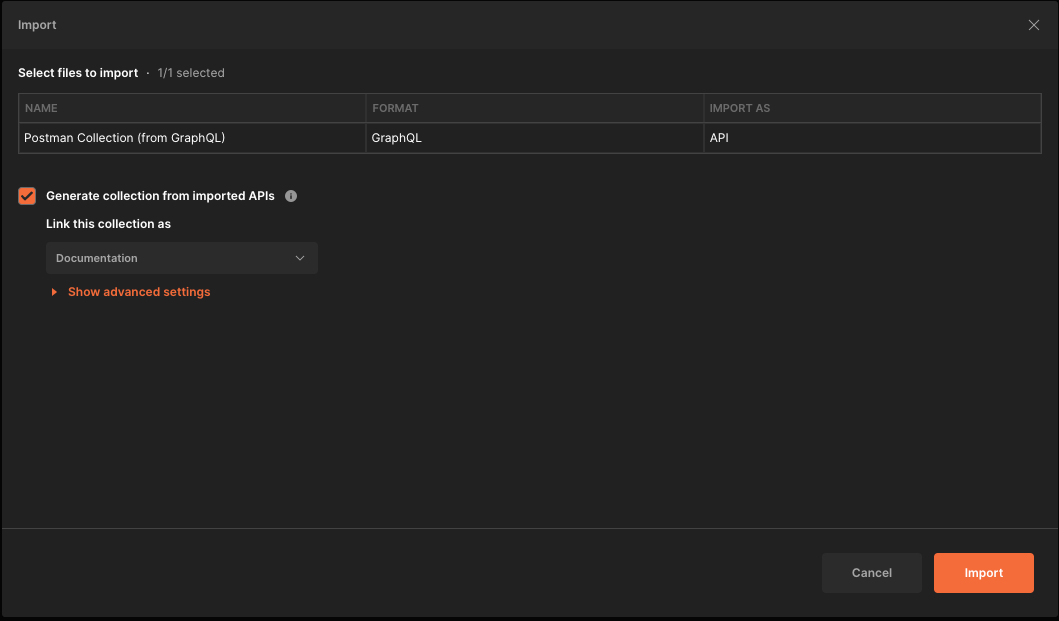
Step 5. Click on Import button
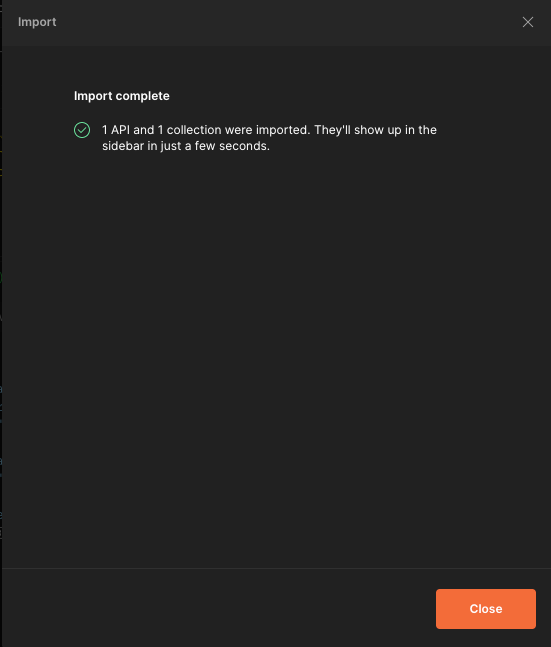
Step 6. Confirmation message is returned
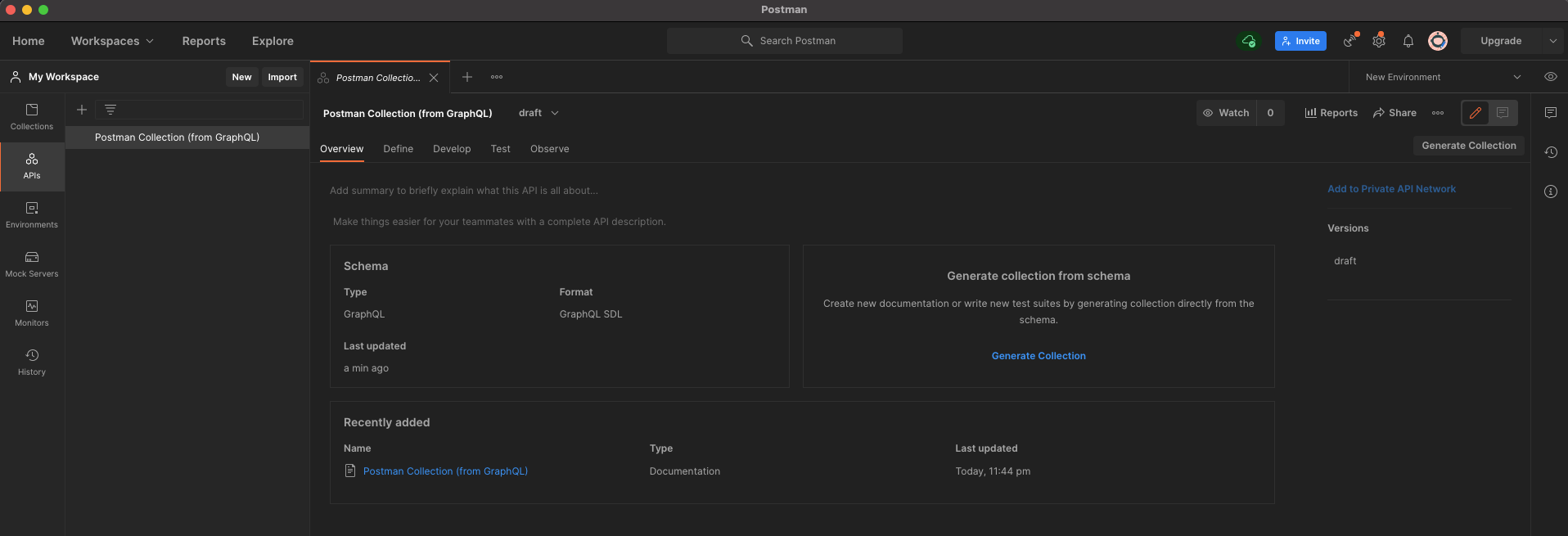
Step 7. Navigate to APIs tab (in left-hand corner), the new API is installed successfully


 Prerequisites