How-to GuideStep-by-step guides to achieve a specific scenario or setup.
Author:
Fluent Commerce
Changed on:
29 Sept 2023
Key Points
Comments can be added to Fluent OMS web app by modifying the manifest, this article covers the required steps.
Steps
Step-by-step guide
Fluent Commerce
Overview
This guide shows you how to seamlessly enable Add Comment functionality in the Fluent OMS web app using Credit Memo as an example.
Step 1
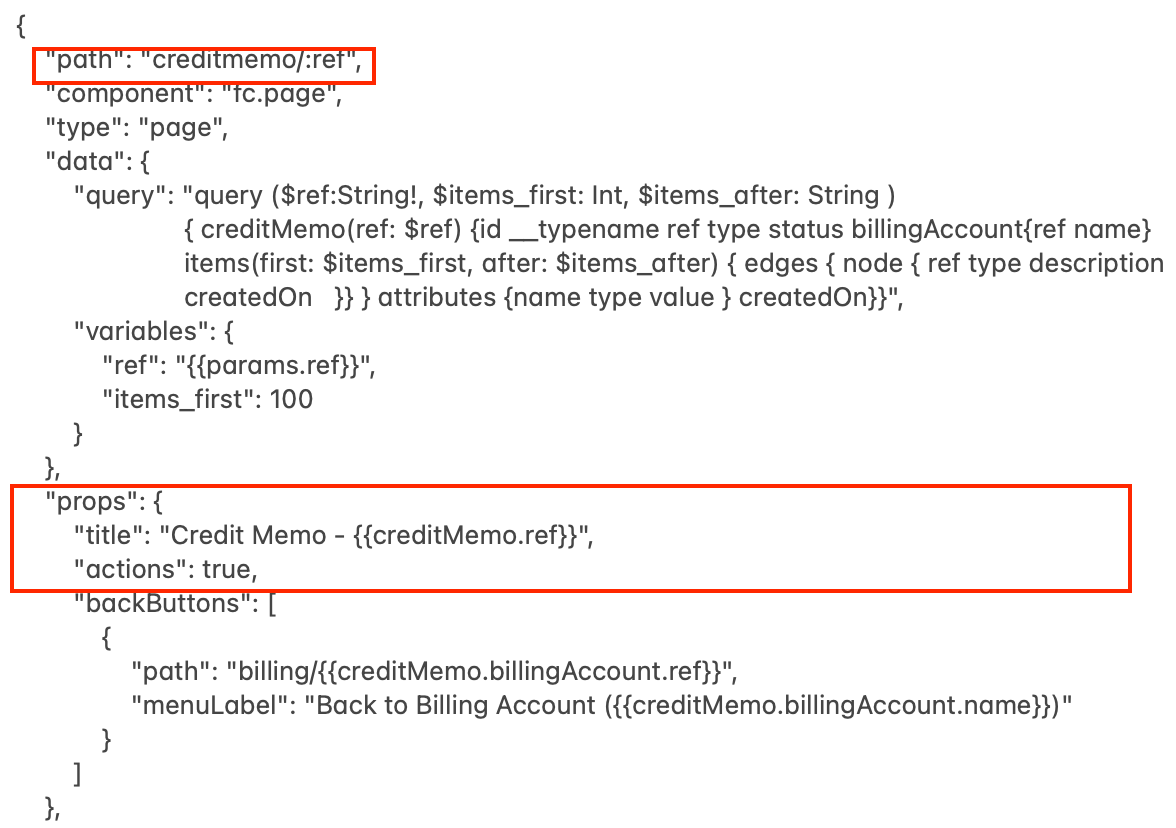
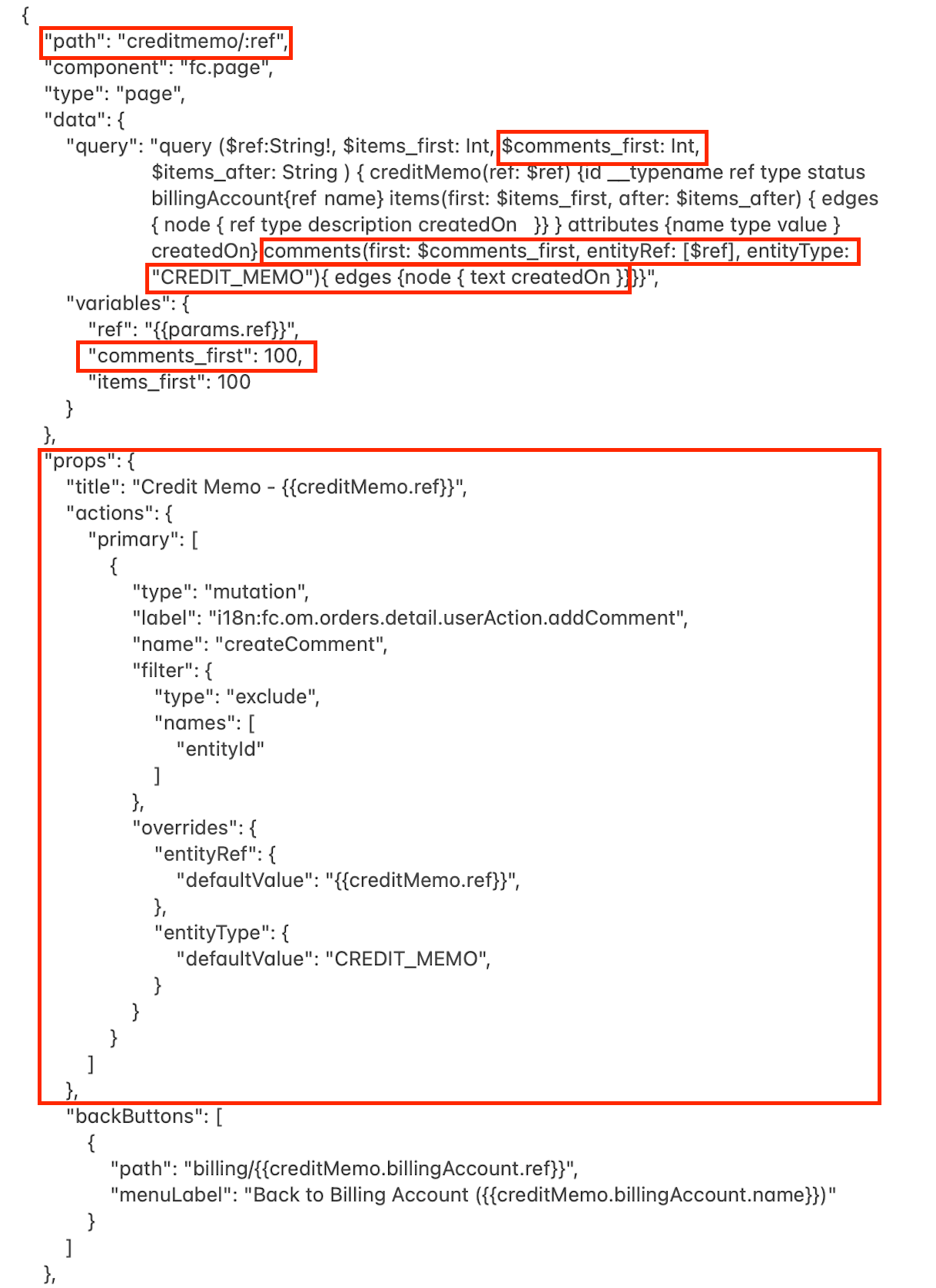
Enable the Add Comment mutation for the Credit Memo in the manifest:
Initial Manifest
Result
Step 2
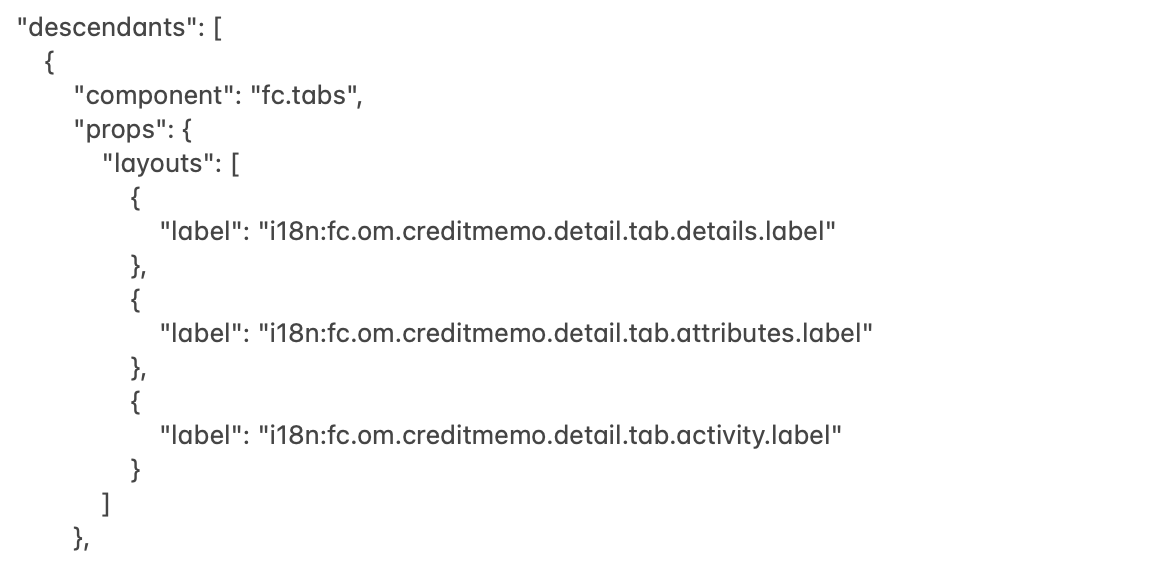
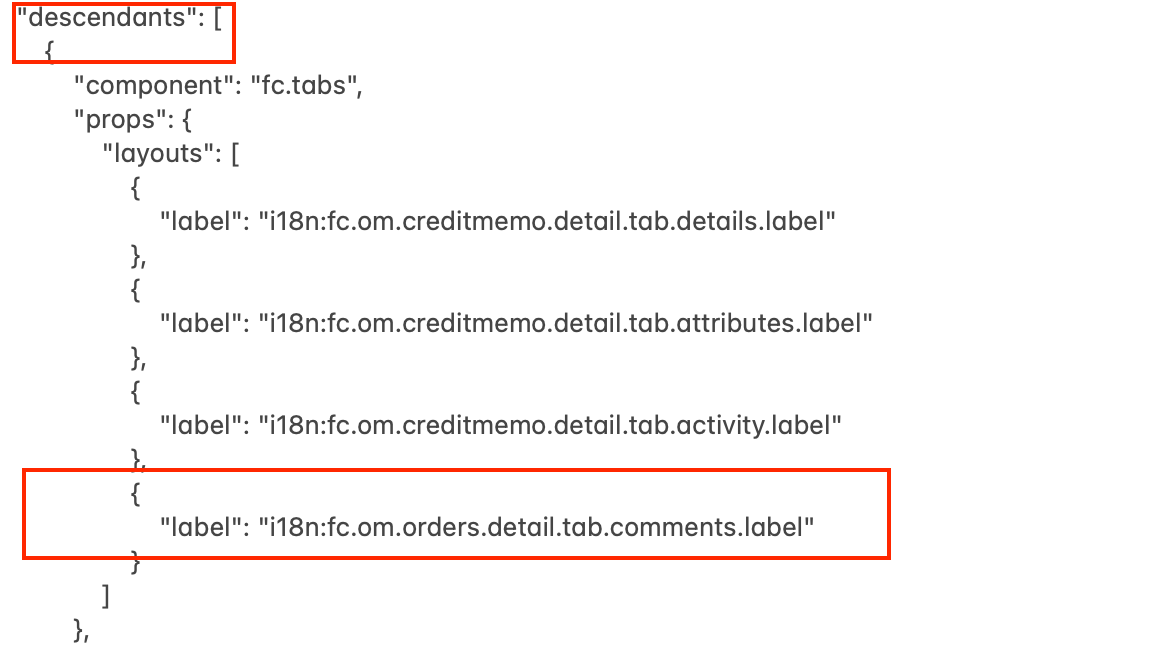
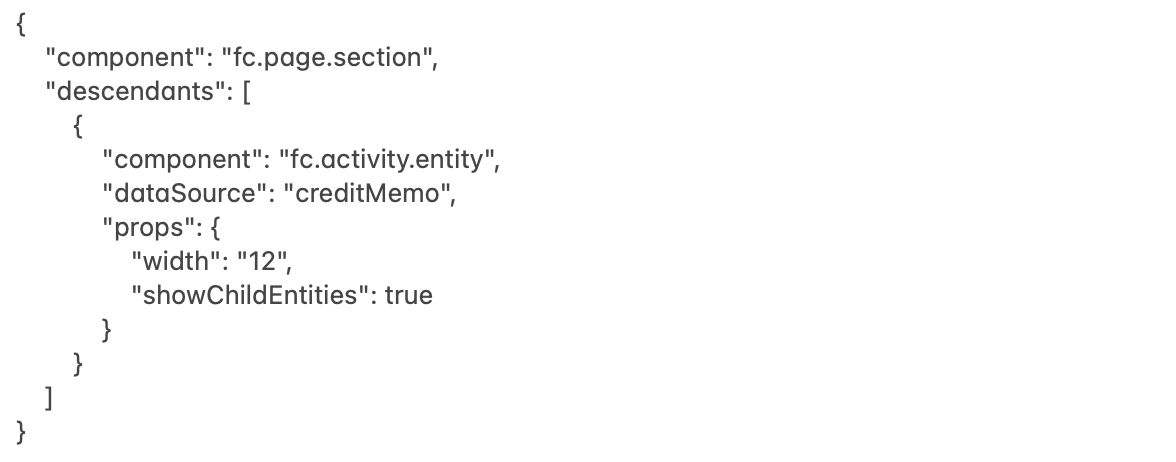
Use descendants to add the Comments tab to the Credit Memo Details page:
Initial Manifest
Result
Step 3
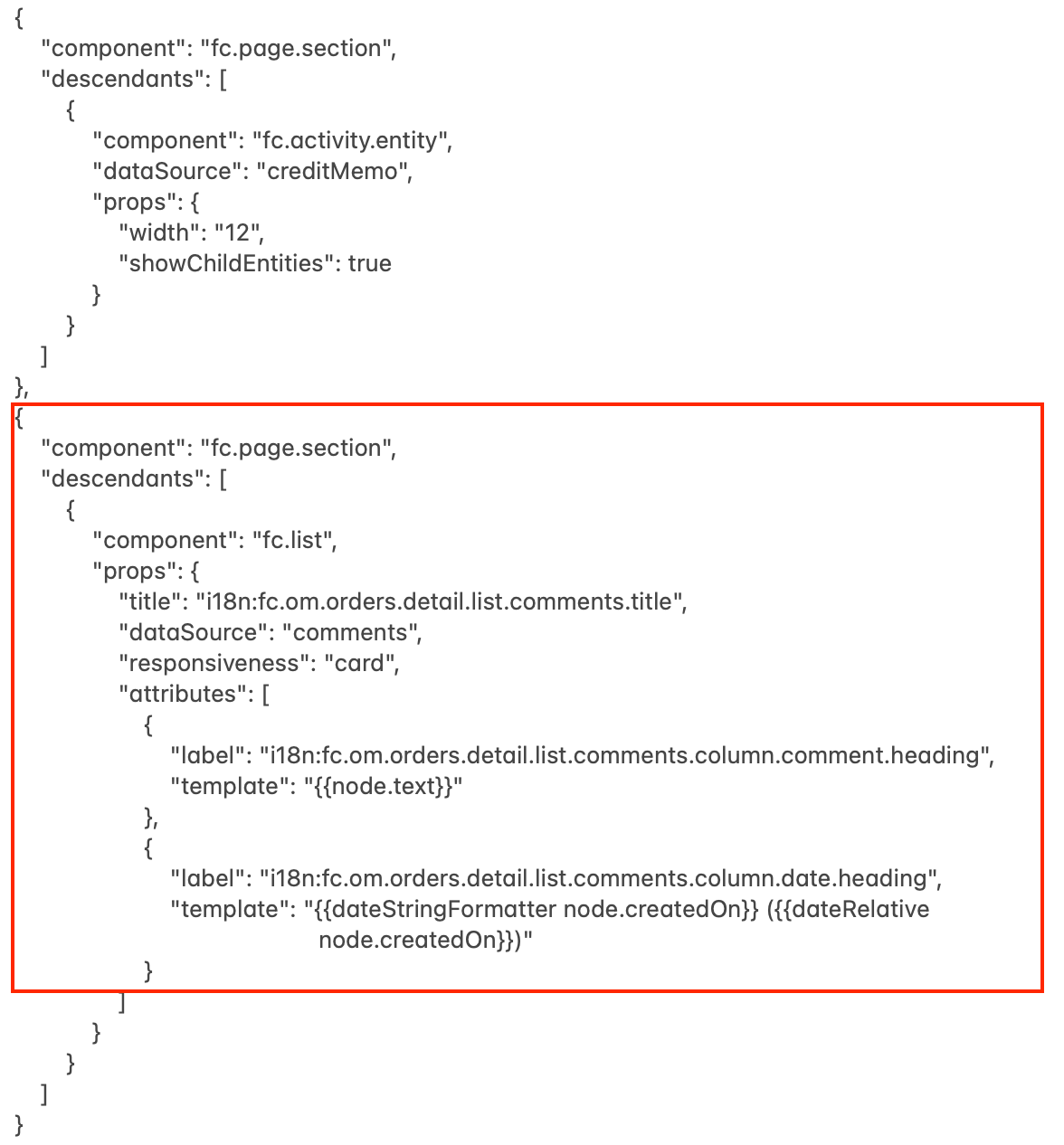
To add the Comments table to the Comments tab, use a new descendant extending it with a new component (`fc.page.section`), including its descendant `fc.list`:
Initial Manifest
Result
Q&A
What can I do to hide a field on the Add Comment form?To hide fields, you should use value instead of defaultValue. See the example below:What can I do to see who left the comment?Step 1. Verify the query is extended with the comment’s author (`user {firstName lastName}`). See the example below:Step 2. Extend the Comments table with a new column where information about the comment’s author will be displayed. See the example below:
1{2"path":"creditmemo/:ref",3"component":"fc.page",4"type":"page",5"data":{6"query":"query ($ref:String!, $items_first: Int, $comments_first: Int, $items_after: String ) { creditMemo(ref: $ref) {id __typename ref type status billingAccount{ref name} items(first: $items_first, after: $items_after) { edges { node { ref type description createdOn }} } attributes {name type value } createdOn} comments(first: $comments_first, entityRef: [$ref], entityType: \"CREDIT_MEMO\"){ edges {node { text createdOn }}}}",7"variables":{8"ref":"{{params.ref}}",9"comments_first":100,10"items_first":10011}12},13"props":{14"title":"Credit Memo - {{creditMemo.ref}}",15"actions":{16"primary":[17{18"type":"mutation",19"label":"i18n:fc.om.orders.detail.userAction.addComment",20"name":"createComment",21"filter":{22"type":"exclude",23"names":[24"entityId"25]26},27"overrides":{28"entityRef":{29"defaultValue":"{{creditMemo.ref}}"30},31"entityType":{32"defaultValue":"CREDIT_MEMO"33}34}35}36]37},38"backButtons":[39{40"path":"billing/{{creditMemo.billingAccount.ref}}",41"menuLabel":"Back to Billing Account ({{creditMemo.billingAccount.name}})"42}43]44}45}


 Step 1