Enable Batch Inventory Pre-Processing
How-to GuideStep-by-step guides to achieve a specific scenario or setup.
Authors:
Girish Padmanabha, Randy Chan
Changed on:
10 Dec 2024
Key Points
- Batch Pre-Processing (BPP) occurs before batch inventory updates reach the inventory workflows. This means if you have any configurations within the workflows that rely on every update reaching the workflow, it is best to opt-out of BPP, make sure to read through this article before toggling this setting off via settings (Read the 'Disabling Batch Pre-Processing' callout shown later)
- BPP is by default enabled at an ACCOUNT and RETAILER context level, to turn it off see the callout 'Disabling Batch Pre-Processing' below
- If enabled at an ACCOUNT level, every retailer under that ACCOUNT will have their batch inventory updates pre-processed
- If enabled at RETAILER levels, it will only pre-process updates for that specific retailer
- The RETAILER context setting overrides the ACCOUNT context setting. This allows you to enable for the whole account and disable for specific retailers.

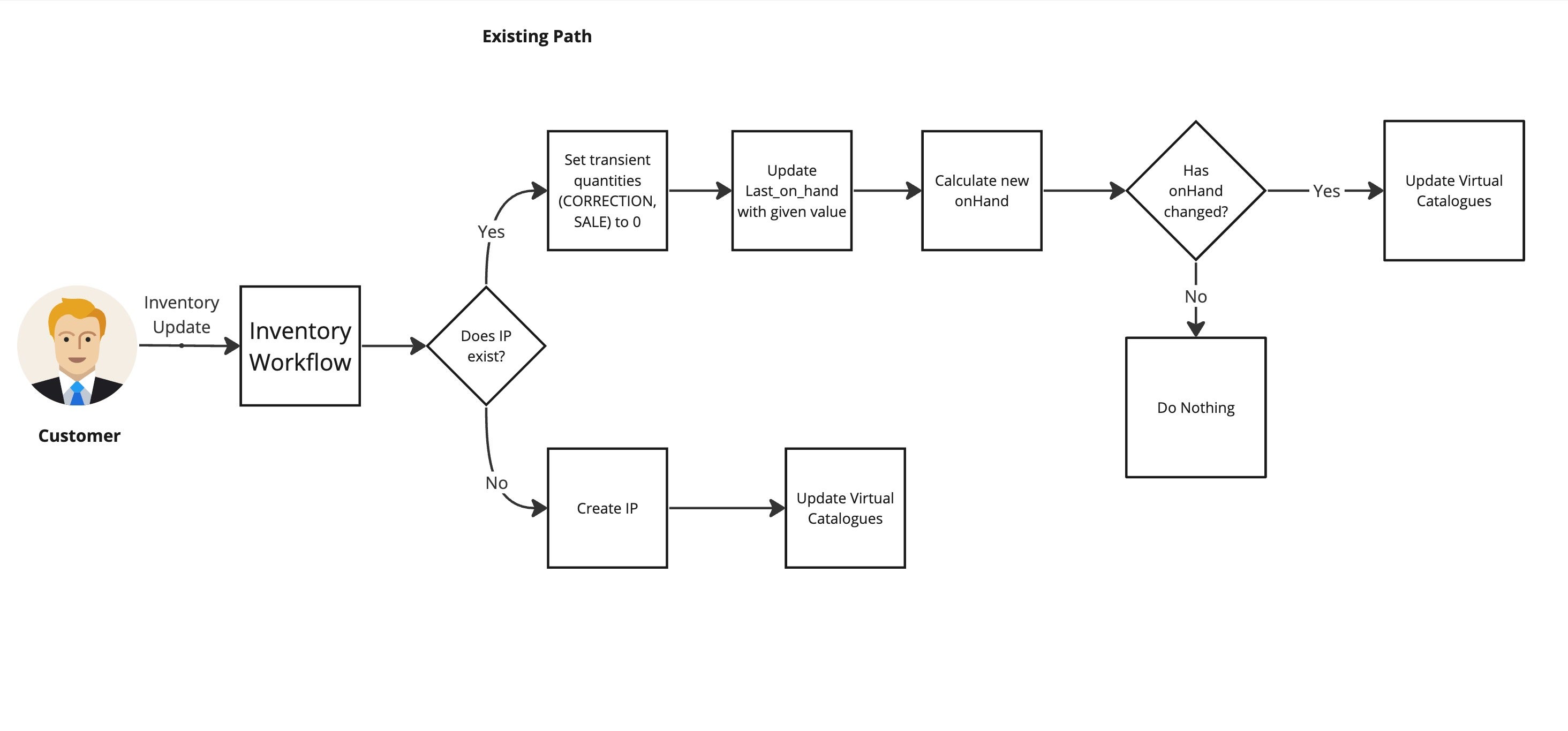
 Workflow Comparison