Update your Plugin Project for JDK 17+
How-to GuideStep-by-step guides to achieve a specific scenario or setup.
Author:
Lesley Dean
Changed on:
18 Apr 2024
Key Points
- A step-by-step guide to update your plugin Project for SDK 17+
Author:
Lesley Dean
Changed on:
18 Apr 2024
 PrerequisitesStep 1: Checking and Updating your IntelliJ Settings
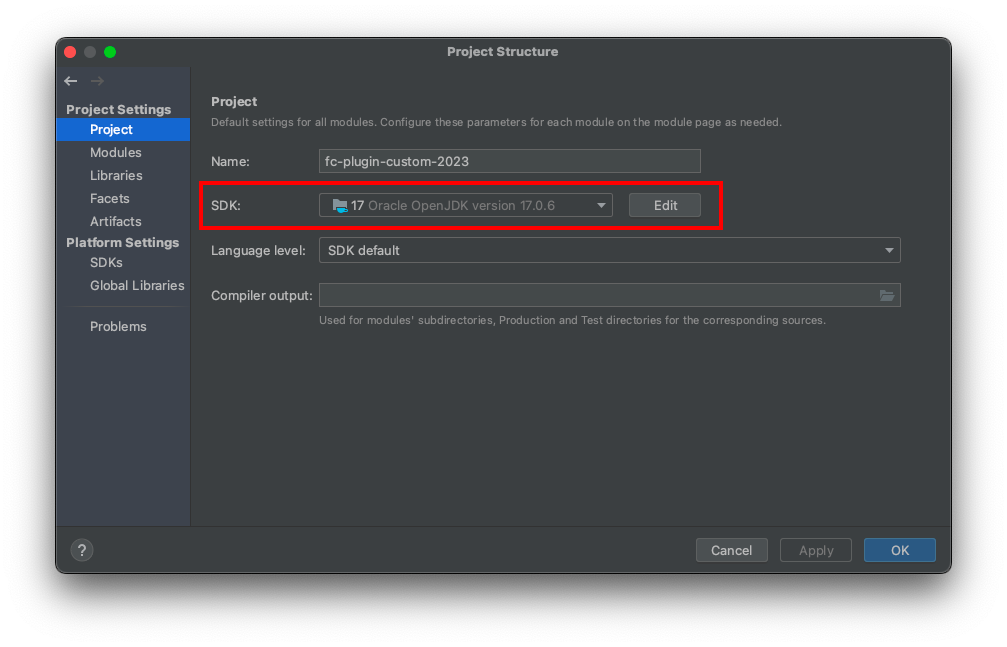
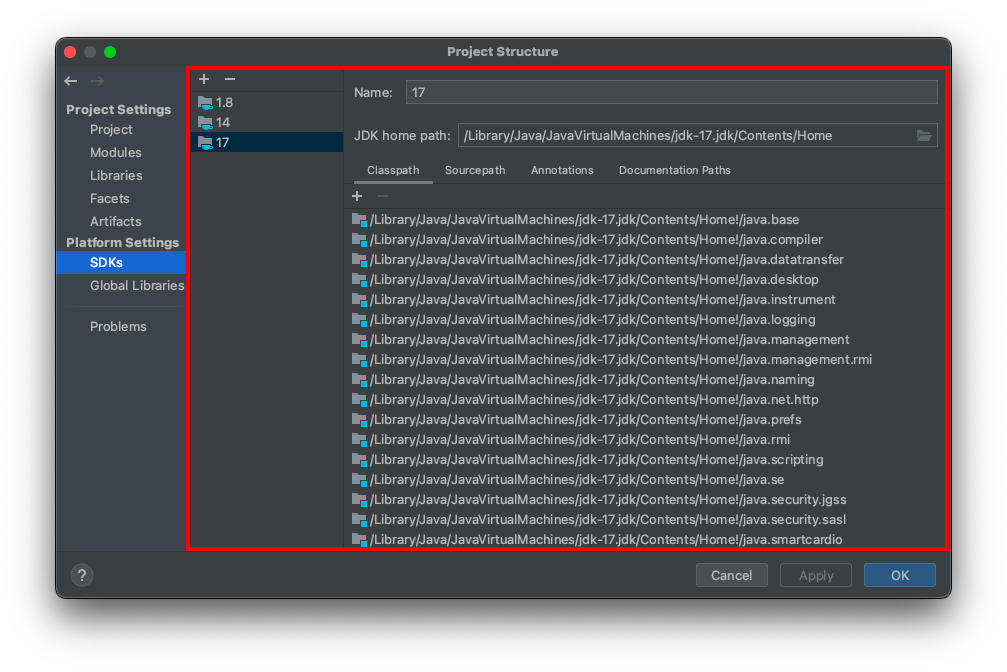 5. On Project, make sure SDK 17 is selected, and Language level set to “SDK default”
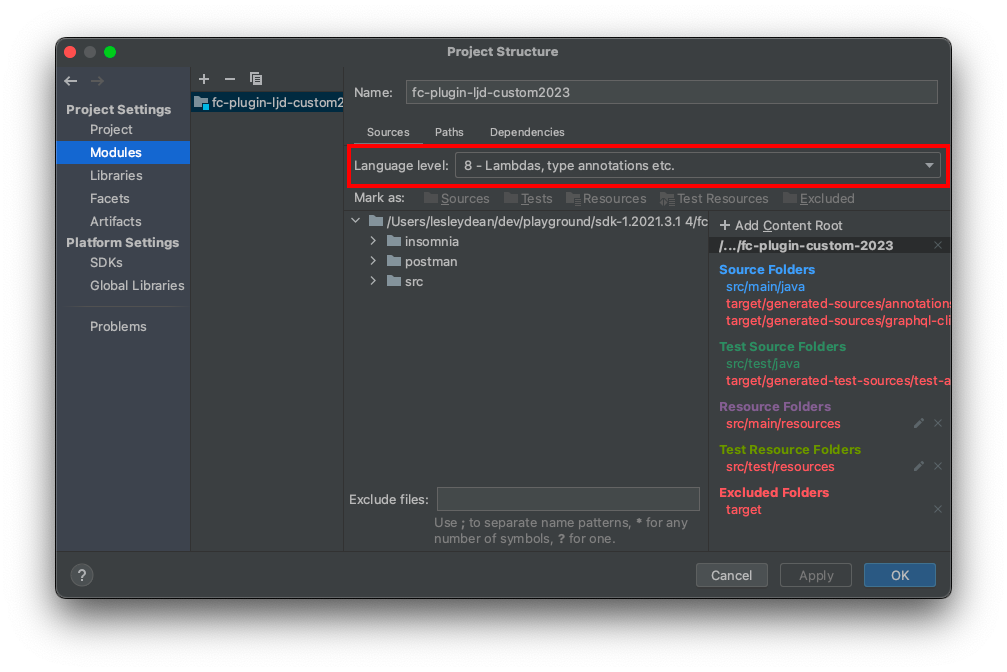
 6. On Modules, make sure Language Level is set to 8
 7. Click Apply and OKStep 2: Update your pom.xml file Plugins and Dependencies
`pom.xml` file`<properties>`, update the following:`<mockito.version>5.2.0</mockito.version>` `<lombok.version>1.18.20</lombok.version>
``<dependencies>`, locate the existing mockito-all dependency, and update it to mockito-inline:`<build><plugins>`, locate the Lombok plugin, and update the version: `<build><plugins>`, locate the Maven Compiler Plugin, and update the version: What's Next?