
Learning - Workflow Framework Builder
Essential knowledge
Changed on:
1 Nov 2024
Overview
[Warning: empty required content area]Key points
[Warning: empty required content area]The Workflow Builder is the UI of the OMX Orchestration Engine. It provides visualisation and management of all configured workflows, including rule sets, rules, and user actions.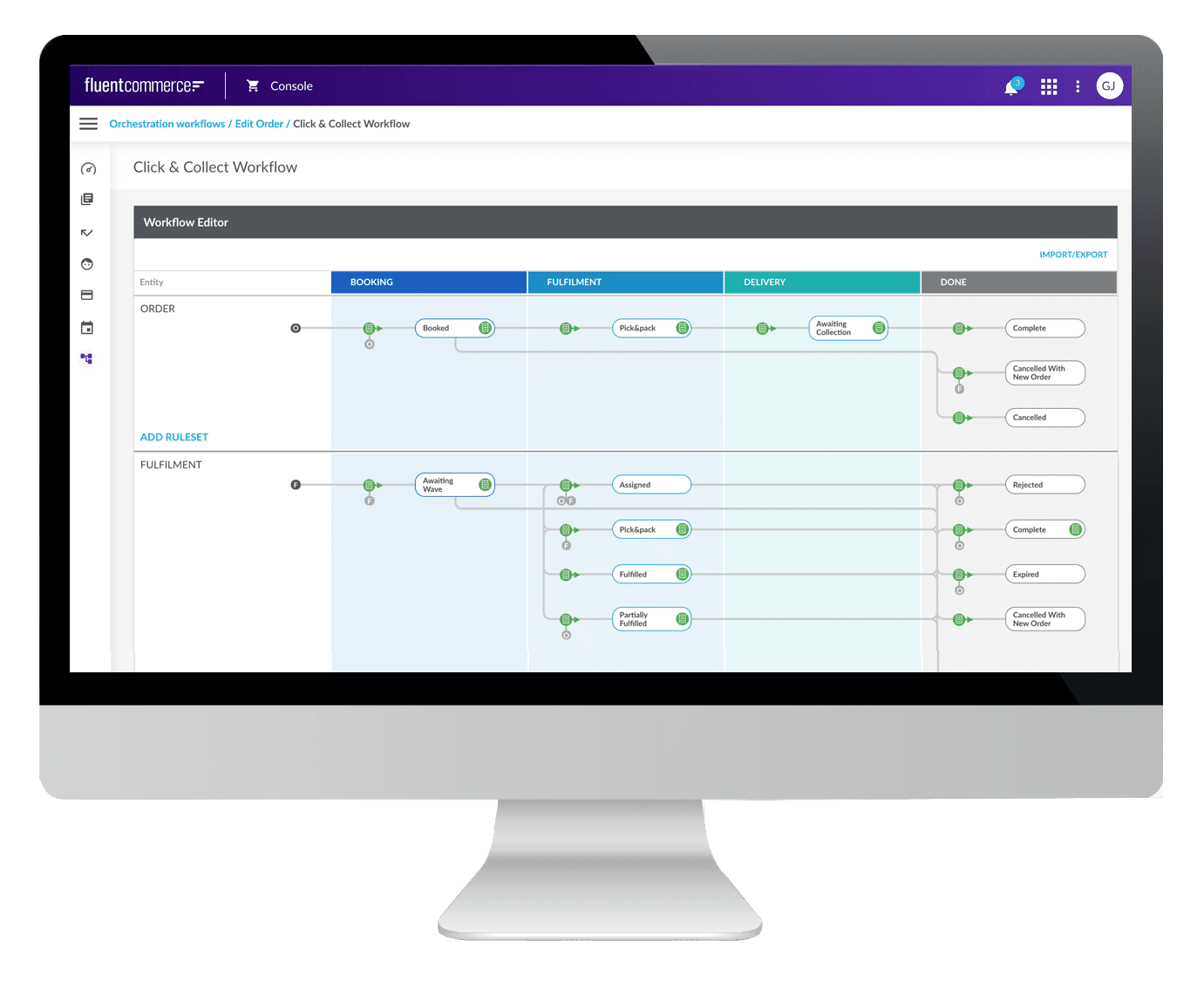
Workflow builder overview
The Workflow Builder (also referred to as 'Workflow Modeler') is the User Interface of the Workflow Framework. It provides visualisation and management of all configured workflows, including rule sets, rules, and user actions.Key functionality:- Provides a way for users to configure workflows.
- Provides a platform to create and integrate user-driven activities with workflows and automation of processes.
- Supports configurations for adding buttons to the web applications. These buttons can be used to trigger automated workflow behaviour.
Workflow builder features
The diagrammatic view of a workflow can be used to configure the rules and rulesets of the selected workflow.This view allows users to:- Add/Configure rules and rulesets.
- Add/Configure triggers.
- Configures states and transitions to match business processes.
- Configure rules at every stage of the workflow.
Workflow Json
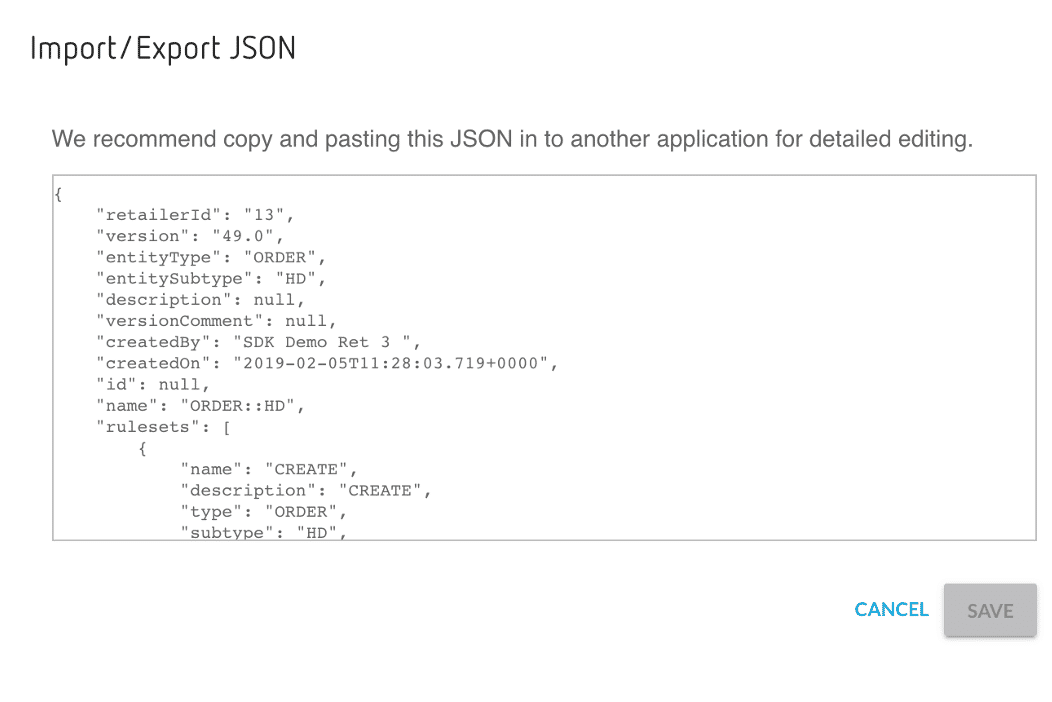
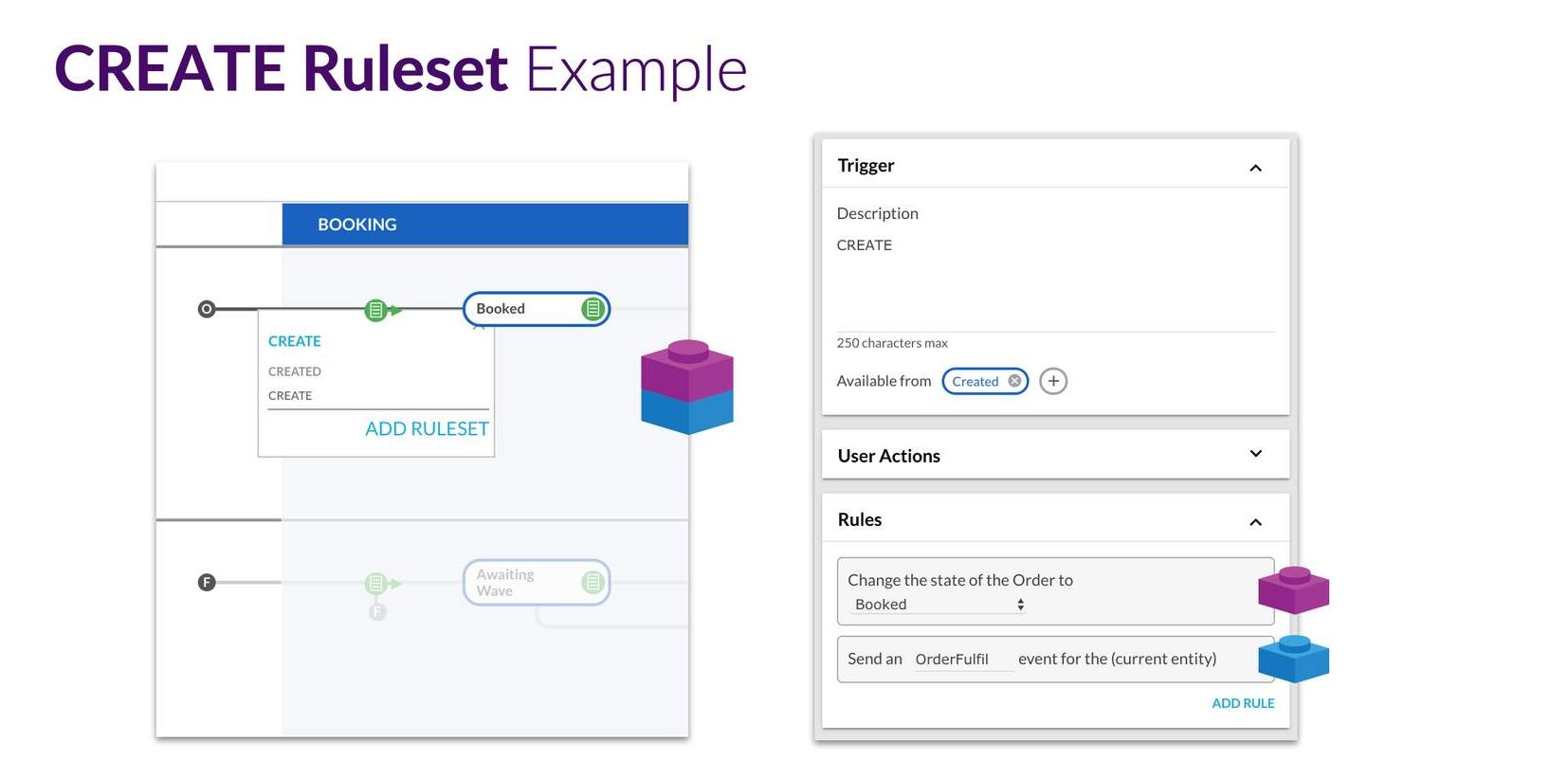
The underlying definition of a Workflow is defined in JSON which is an open standard file format. It is a human-readable, structured, and simple text commonly used to define and store data. Workflow definitions can be both imported and exported via the Builder and via the Fluent API.| Create ruleset - example | CREATE is an example of the ruleset. Clicking on this will open the UI to show the details of the RuleSet (Image on the right). |
| Ruleset Menu | The Ruleset Menu is where the ruleset is added. |
| Trigger | A Trigger defines the contract for the Event required to execute its Ruleset.In the example here, a Trigger is created for the ruleset. |
| User Action | User Actions are stated here.A User Action is essentially an external view of a Trigger, along with some additional attributes to represent UI interactions, such as buttons and labels, etc |
| Configure | It is possible to Configure the ruleset with one or more rules. |
You've reached the end of Workflow.Next Up, OMX UX Framework
