
Use fulfilment-Ref for order searching POC
Essential knowledge
Changed on:
17 Apr 2025
Overview
Use Case: The client would like an additional reference (e.g. ordering) to look up the orders within the OMS.Key points
- The client can look up orders in Fluent OMS using a different reference
- The steps to set up a new search reference are explained in this articles
One possible way to set up the order search is to utilise the fulfilment.ref for such ability: Here are the Steps: 2. The order attribute is stored in the OMS:
 3.During the fulfilment creation rule, if the ORDER_TAG value existed, add the value as part of the fulfilment.ref suffix with an Unique value as prefix.
  4. Now the order tag value can be filtered via fulfilment query:
  5. Search Result:
 6. In the graphQL: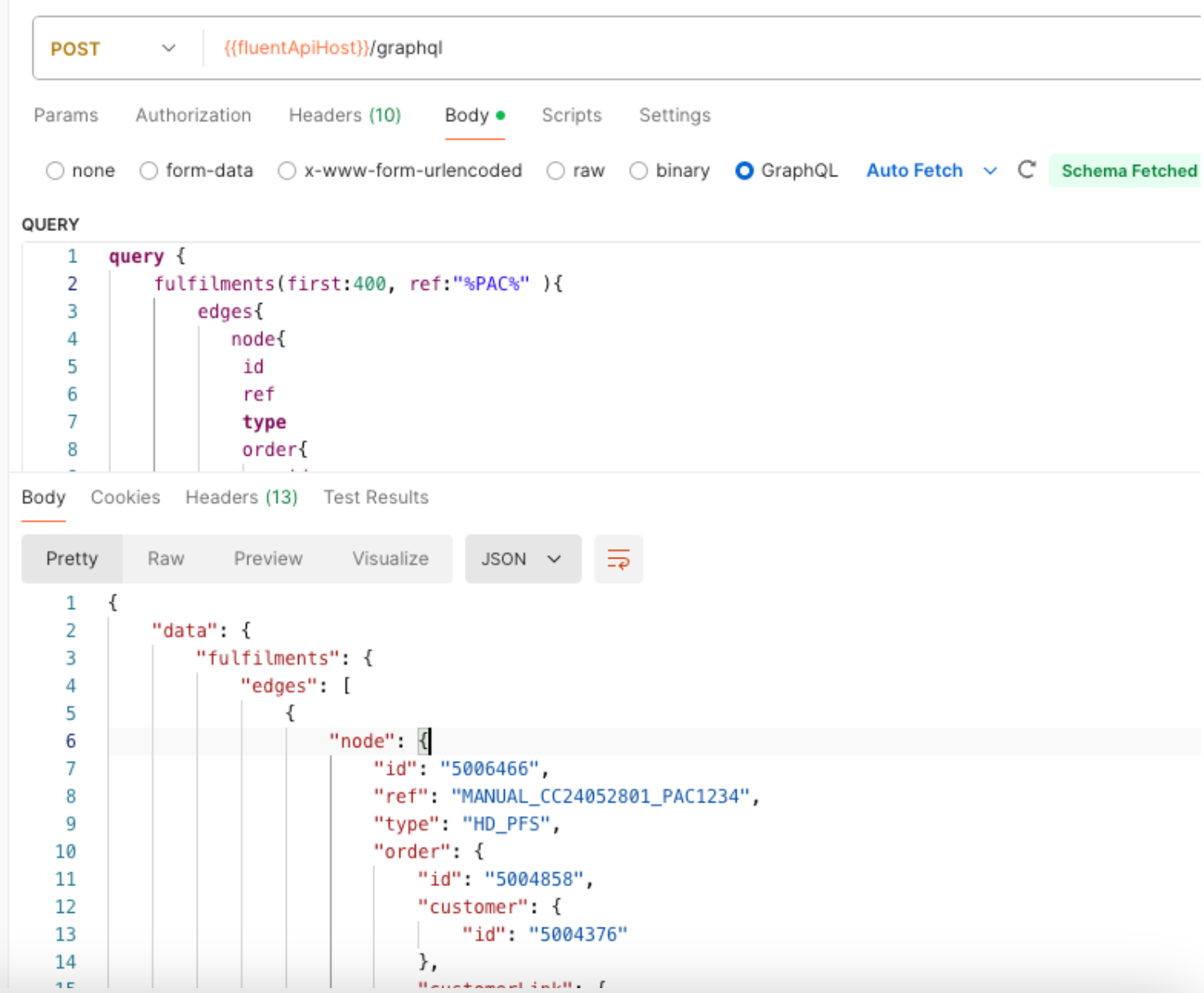
- In the createOrder mutation, declare order->custom attribute “ORDER_TAG”.
The possible values are:
PAC
PARTNERSHIP
LTL
2. The order attribute is stored in the OMS: 3.During the fulfilment creation rule, if the ORDER_TAG value existed, add the value as part of the fulfilment.ref suffix with an Unique value as prefix. 4. Now the order tag value can be filtered via fulfilment query: 5. Search Result: 6. In the graphQL: