
Author:
Dave Miller
Changed on:
6 Mar 2026
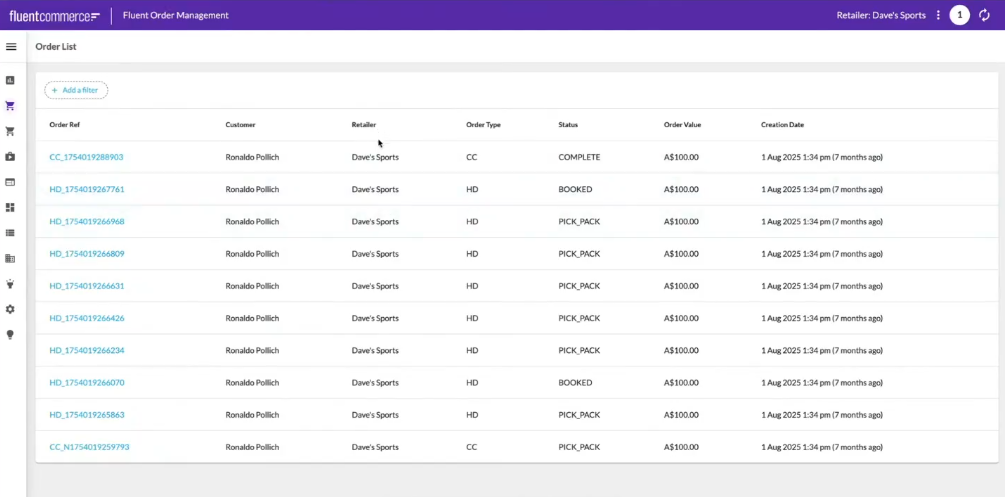
 Also ensure you haveConnect Claude to the Builder MCP serverTest the connectionAdd a 'Retailer name' column to the Order List using prompts
`Can you add a column to the order list showing the retailer name`Claude will:Check the updated Orders page
 Create a dashboard tile above the table to display the order count
`Add a dashboard tile above the table showing the order count``orders.edges.length`)Refresh the Orders page again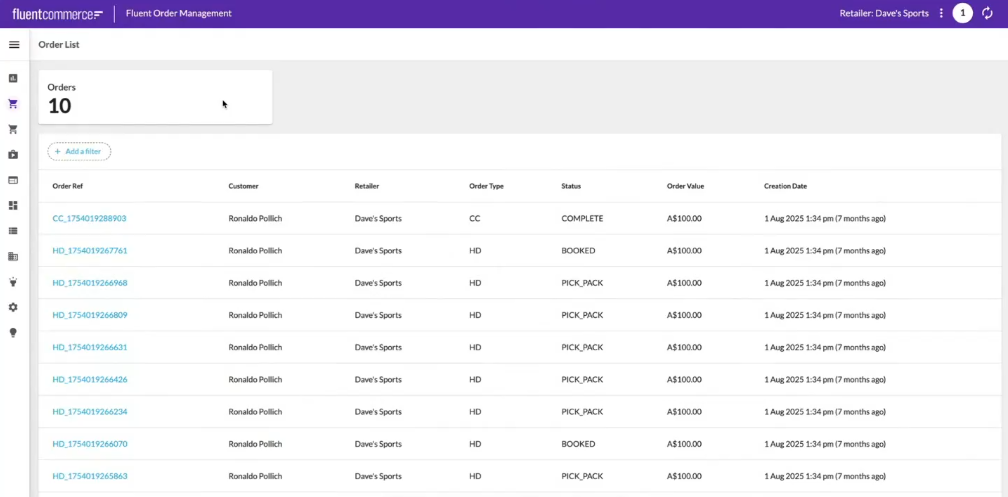 Create a component that shows a Google Map on a card
`Write me a mystique component that shows a Google Map on a card. Assume the data input is a connection of orders. Show an icon for the fulfillment collection address of each order and zoom accordingly.`Claude will:Implement the component to the Order page`Add the component to the top of the Order fragment`Claude will update the manifest and confirm the new structure.Host the local componentRefresh the Orders page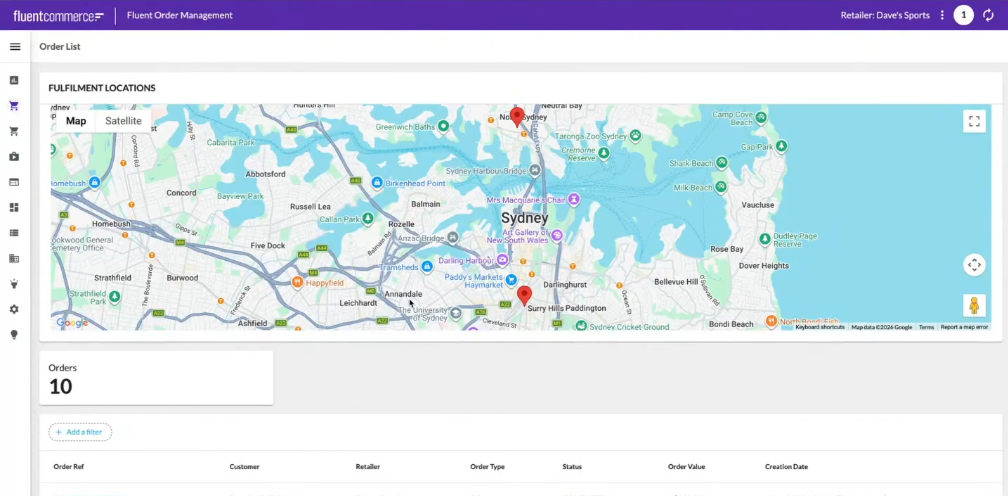
Copyright © 2024-2026 Fluent Retail Pty Ltd (trading as Fluent Commerce). Unless otherwise expressly stated in a current written agreement with Fluent Commerce or any of its affiliates or on any single page of the docs.fluentcommerce.com site, use of the materials on this site is strictly limited to viewing by individuals over 18 years old for legitimate commercially appropriate reasons; and any downloading, copying or other actions or uses of any kind or by any means of the materials on this site, including by artificial intelligence tools, is strictly prohibited. All other rights reserved.

